# How to Bridge From Other Chains to Kaia Chain (Wormhole)

<figure><img src="https://2773729827-files.gitbook.io/~/files/v0/b/gitbook-x-prod.appspot.com/o/spaces%2FYVZH9L7WE43Aobj4nFkk%2Fuploads%2FxXq9IVgkhkwJ90sb4Wzd%2FHow%20to%20Bridge%20(1).png?alt=media&#x26;token=7e59200d-9814-49bd-9941-8b55980850e9" alt=""><figcaption></figcaption></figure>

To bridge assets to Kaia Chain using the Wormhole Portal Bridge, follow these steps:

1. **Access the Portal Bridge**: Navigate to <https://portalbridge.com/>.

<figure><img src="https://2773729827-files.gitbook.io/~/files/v0/b/gitbook-x-prod.appspot.com/o/spaces%2FYVZH9L7WE43Aobj4nFkk%2Fuploads%2F4bk54jB5MemnTMBGm8Ck%2Fimage.png?alt=media&#x26;token=327b5233-f522-4956-a47c-a7e4593842a4" alt=""><figcaption></figcaption></figure>

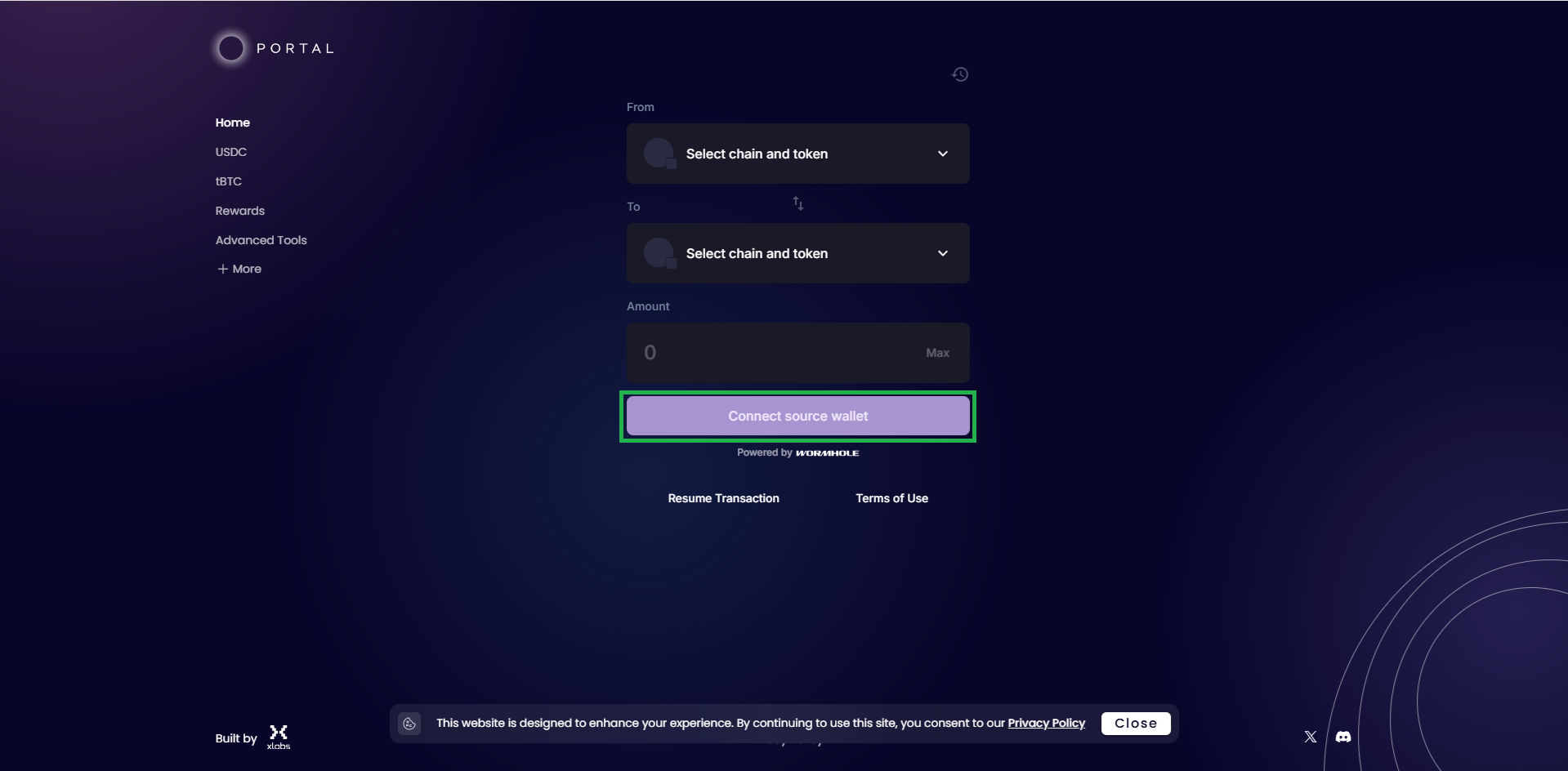
2. **Connect Your Wallet**: Click on "Connect Wallet" and select your preferred wallet. Ensure your wallet is configured for the source blockchain.

<figure><img src="https://2773729827-files.gitbook.io/~/files/v0/b/gitbook-x-prod.appspot.com/o/spaces%2FYVZH9L7WE43Aobj4nFkk%2Fuploads%2FV7FJKcLpcOp6cUbULuIu%2Fs1.png?alt=media&#x26;token=8676df5a-1f79-4755-a52b-9a0b2a7783d6" alt=""><figcaption></figcaption></figure>

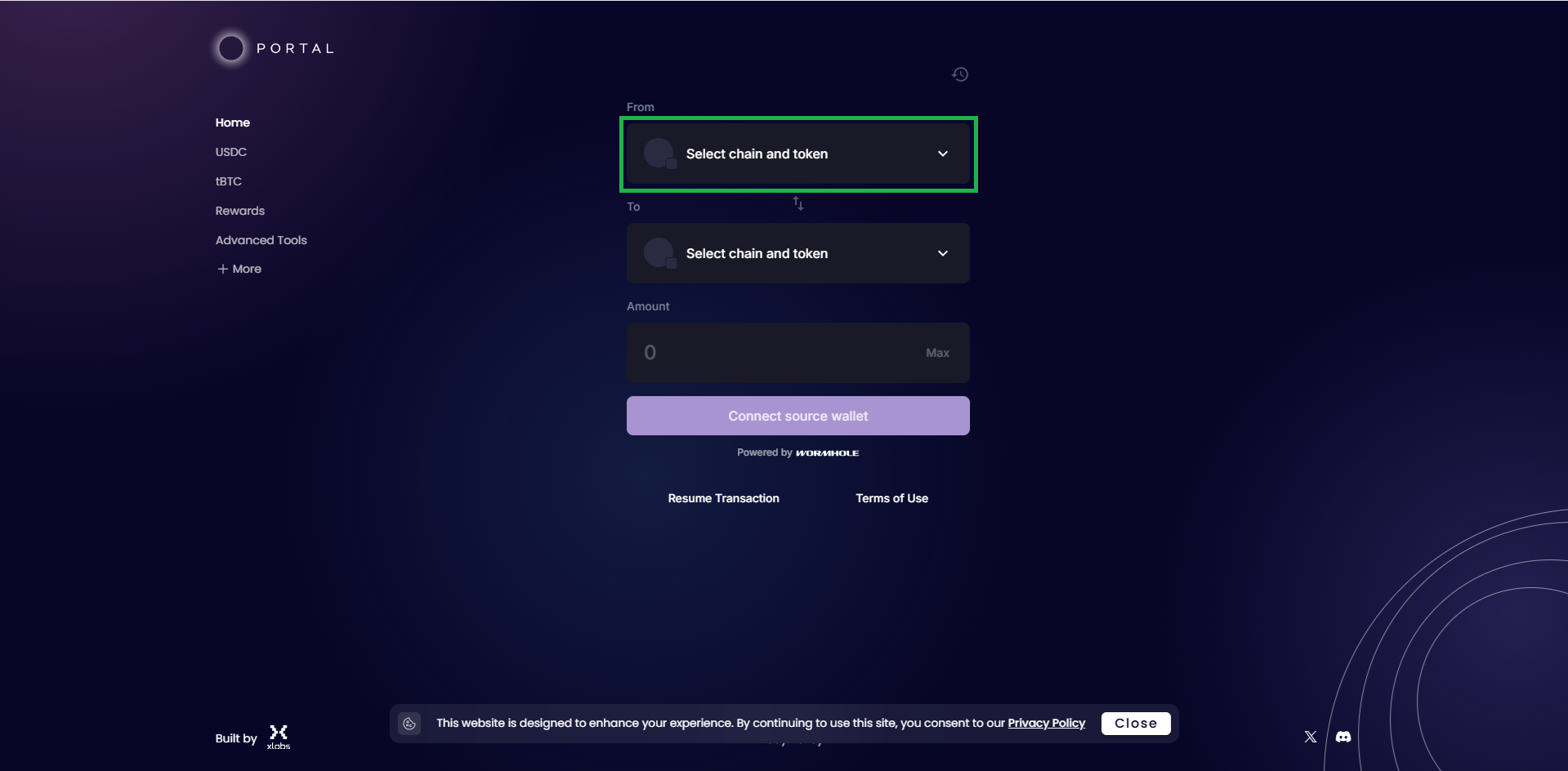
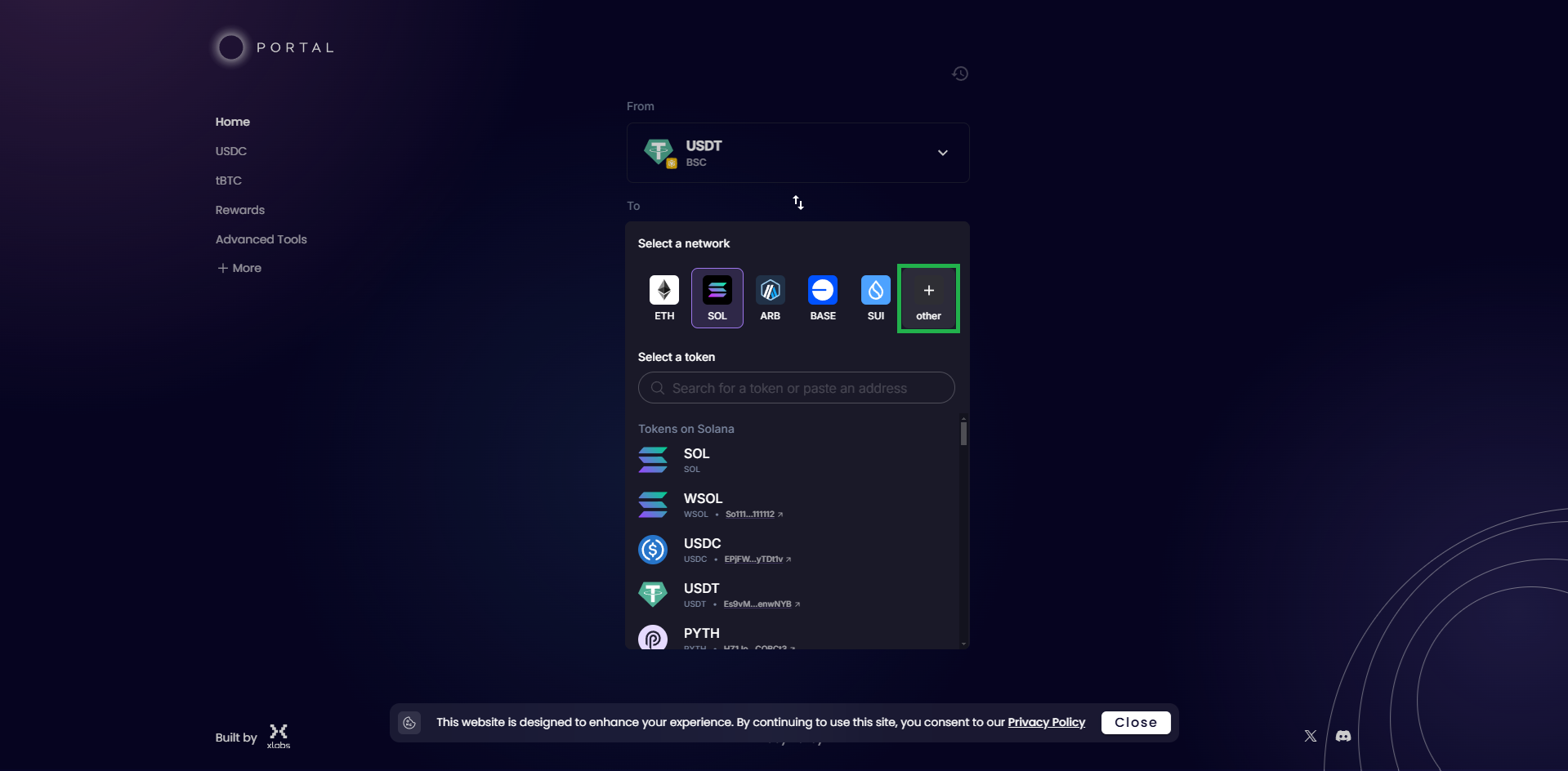
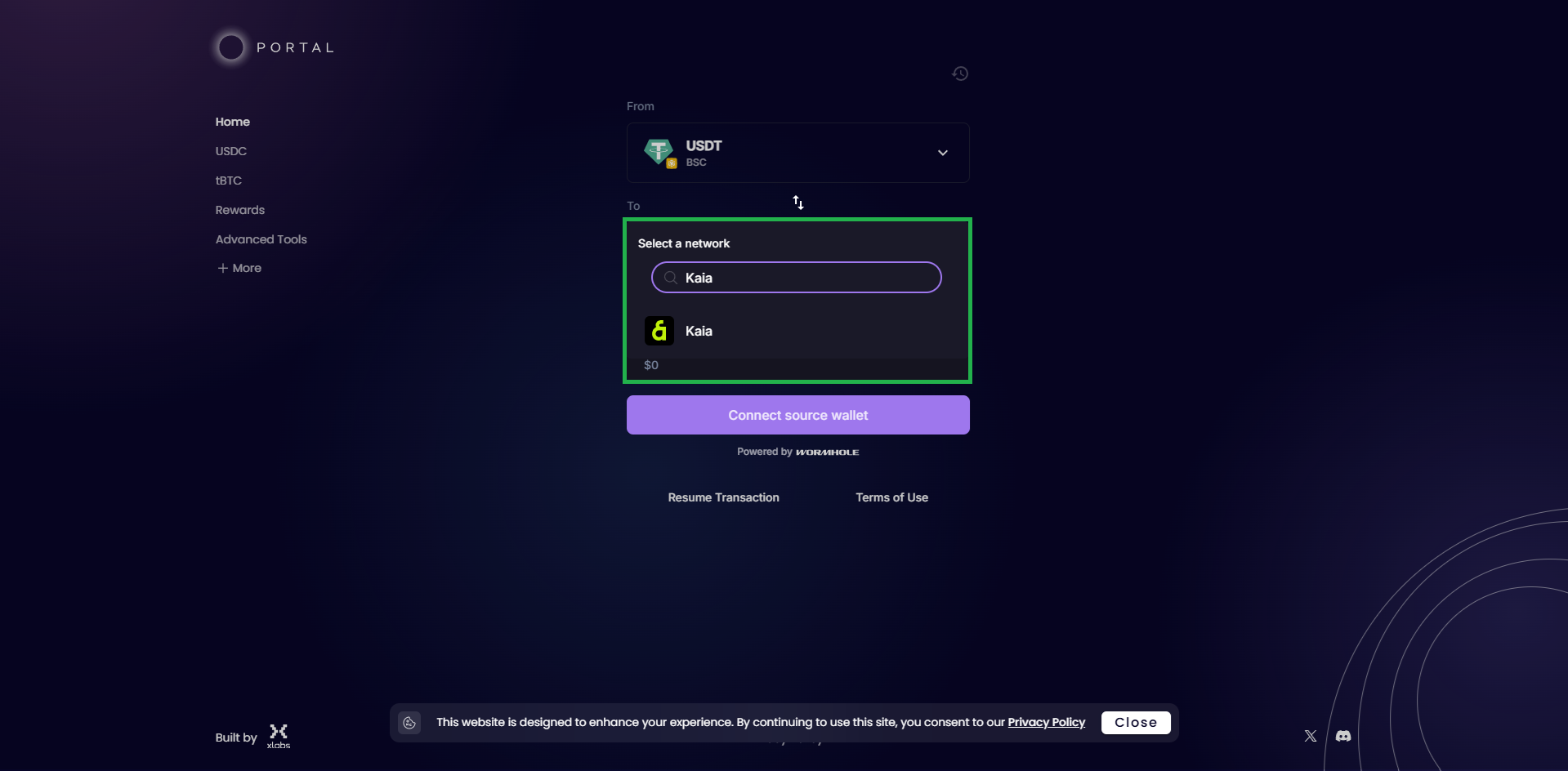
3. **Select Source and Target Chains**: In the "From" dropdown, choose the blockchain from which you're transferring assets. In the "To" dropdown, select "Kaia Chain".

<figure><img src="https://2773729827-files.gitbook.io/~/files/v0/b/gitbook-x-prod.appspot.com/o/spaces%2FYVZH9L7WE43Aobj4nFkk%2Fuploads%2F0TFQGZpGF0w5zw460Fai%2Fs1.png?alt=media&#x26;token=958ff6f2-7163-4ed7-b9b6-89b0abe739f4" alt=""><figcaption><p>step 1 : select the green box</p></figcaption></figure>

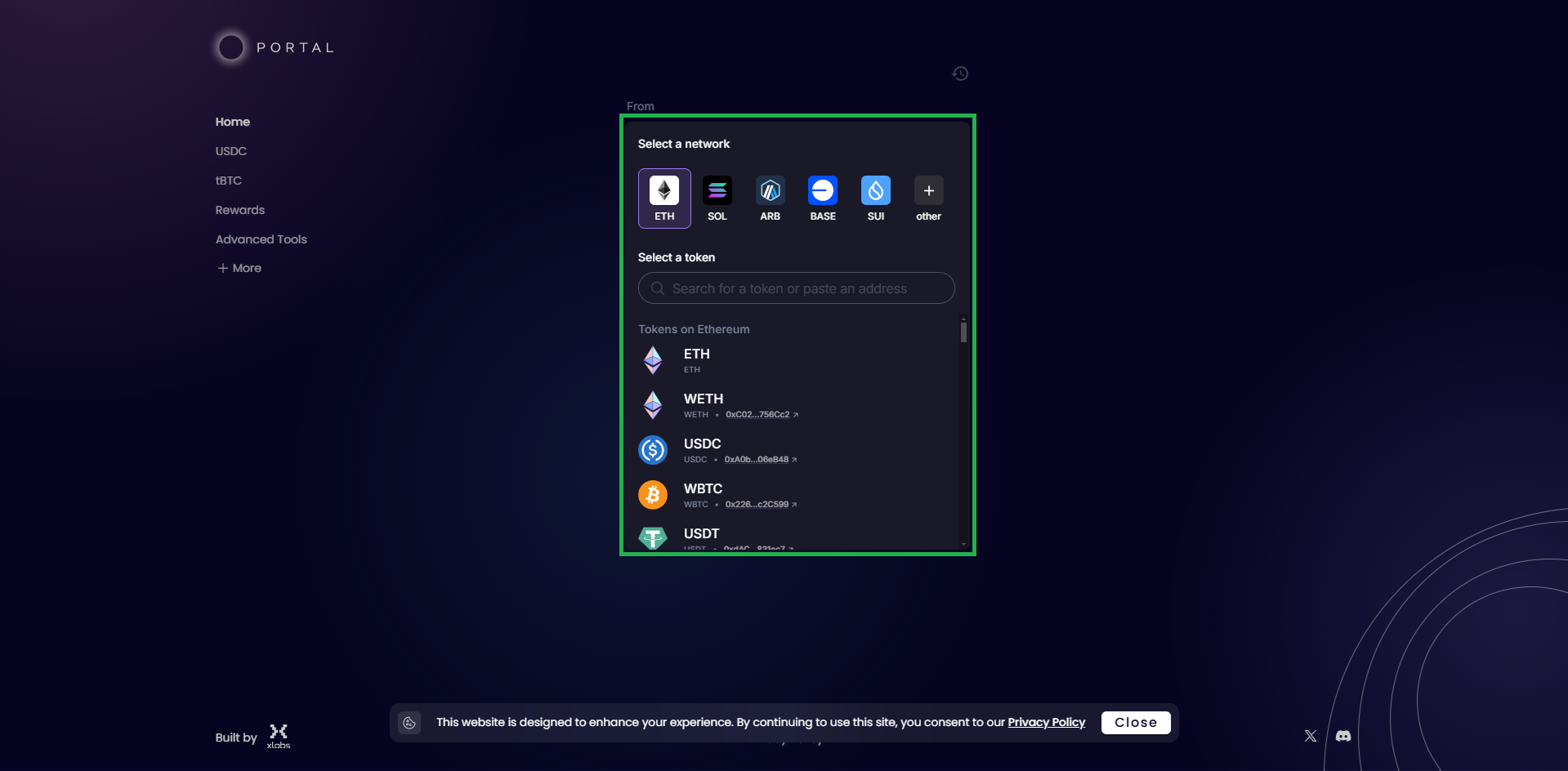
<figure><img src="https://2773729827-files.gitbook.io/~/files/v0/b/gitbook-x-prod.appspot.com/o/spaces%2FYVZH9L7WE43Aobj4nFkk%2Fuploads%2Fsti0FMWVzIeRjww0KNAl%2Fs1.png?alt=media&#x26;token=72caec47-ac87-4af6-89ea-e2a5019c7632" alt=""><figcaption><p>step 2 : select your origin chain and assets you want to bridge your funds</p></figcaption></figure>

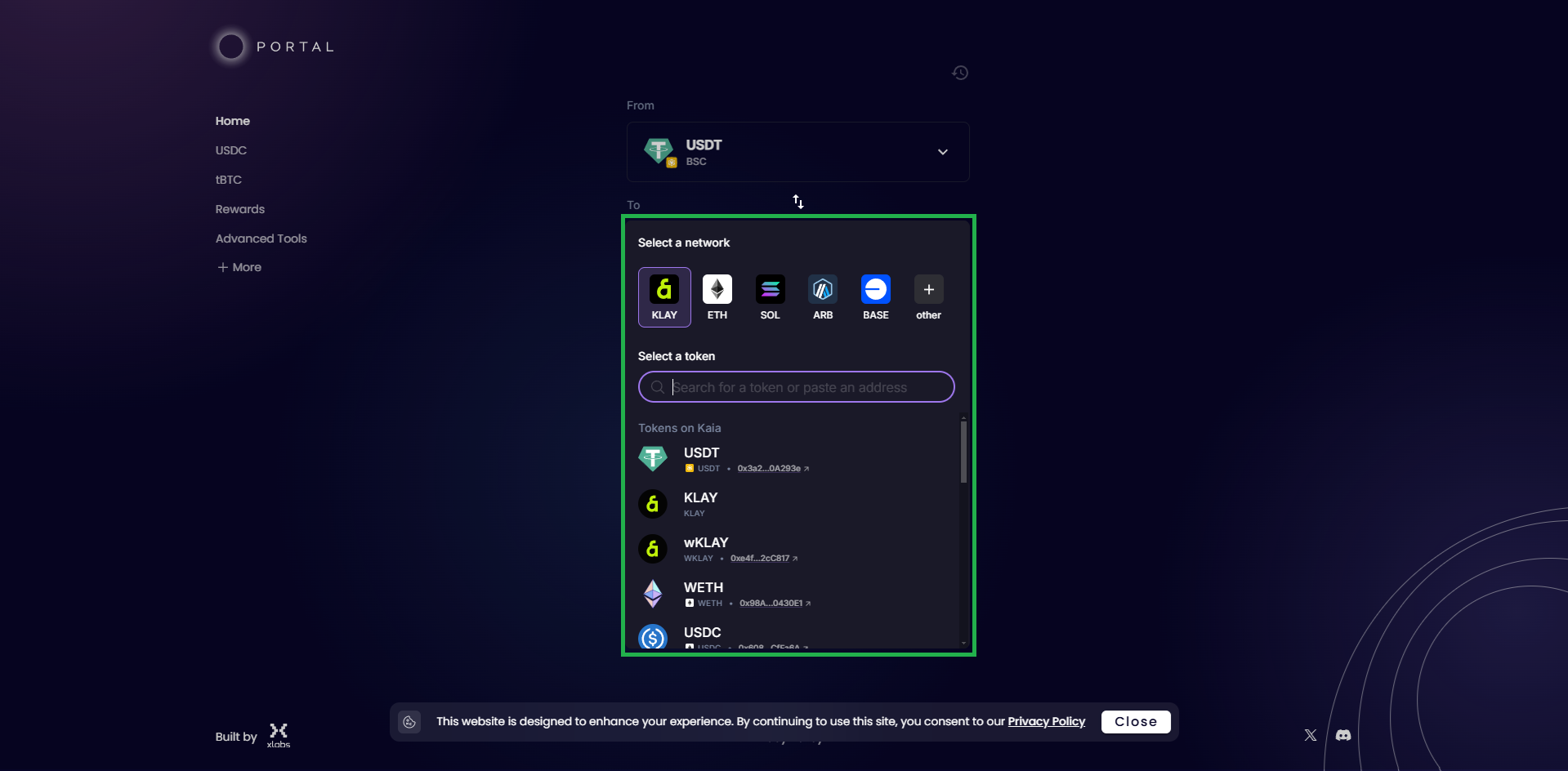
4. **Choose the Asset and Amount**: Pick the token you wish to bridge and specify the amount. Ensure the asset is supported on both the source chain and Kaia Chain.

<figure><img src="https://2773729827-files.gitbook.io/~/files/v0/b/gitbook-x-prod.appspot.com/o/spaces%2FYVZH9L7WE43Aobj4nFkk%2Fuploads%2FhIdY9NdKijHqNVi7ja0U%2Fs1.png?alt=media&#x26;token=9ff169f0-0f4f-4cae-9b56-5edbb6ac09dd" alt=""><figcaption><p>Step 1 : Select Destination Chain and click on other to search for Kaia Chain</p></figcaption></figure>

<figure><img src="https://2773729827-files.gitbook.io/~/files/v0/b/gitbook-x-prod.appspot.com/o/spaces%2FYVZH9L7WE43Aobj4nFkk%2Fuploads%2Fx0fMUX5C57AvOKify5zH%2Fs1.png?alt=media&#x26;token=3c50e009-5878-4c0e-a39d-71de25ca9baa" alt=""><figcaption><p>Step 2 : Search "Kaia" and select Kaia chain</p></figcaption></figure>

<figure><img src="https://2773729827-files.gitbook.io/~/files/v0/b/gitbook-x-prod.appspot.com/o/spaces%2FYVZH9L7WE43Aobj4nFkk%2Fuploads%2FEpOJj7wJa9aNHcGZIbc4%2Fs1.png?alt=media&#x26;token=762dc850-625e-4959-b26a-df027b8b020d" alt=""><figcaption><p>Step 3 : Select the desired assets you would like the bridge to exchange for, for example BSC USDT to KAIA WETH</p></figcaption></figure>

5. **Initiate the Transfer**: Click "Next" and follow the on-screen instructions. Confirm the transaction in your wallet when prompted.
6. **Wait for Confirmation**: The bridging process may take a few minutes. Once completed, your assets will be available on Kaia Chain.

{% hint style="info" %}
Please take note that $KLAY : $KAIA as the token rebranding
{% endhint %}